
Hennebery Eddy Utilizes Efficient Solutions That Stand the Test of Time

Established in 1992, Hennebery Eddy Architects is a Portland-based architecture, planning, and interior design studio with specialty focus in historic preservation and sustainable design. The company attracts architects whose passion for architecture and entrepreneurial spirit contribute to an impressive portfolio of projects in multiple market sectors:

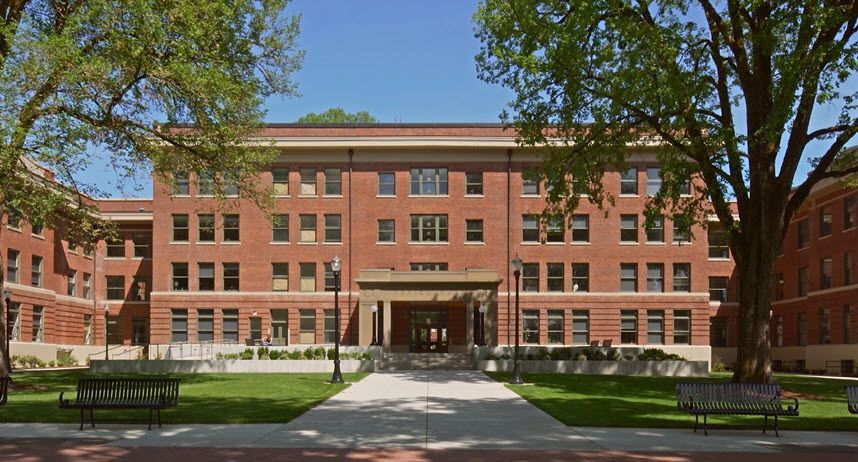
  • Academic - Projects for higher education institutions that address sensitive site context, usable exterior space, technologically advanced classrooms, and collaborative hearth spaces include Montana State University Jake Jabs College of Business and Entrepreneurship, Strand Agriculture Hall at Oregon State University, Willamette University Ford Hall, and Clackamas Community College Harmony Phase II.


  • Commercial - From pedestrian oriented mixed-use to corporate office interiors, the firm’s commercial projects include 2&Taylor, an adaptive reuse project that transformed an underutilized downtown Portland building into creative mixed-use office and retail space; The Reserve, an extensive renovation of Pietro Belluschi’s International Style building in downtown Portland; and Willamette and Deschutes office buildings, home to collaborative work environments for the Digital Sport and Digital Tech groups at Nike’s West Campus.


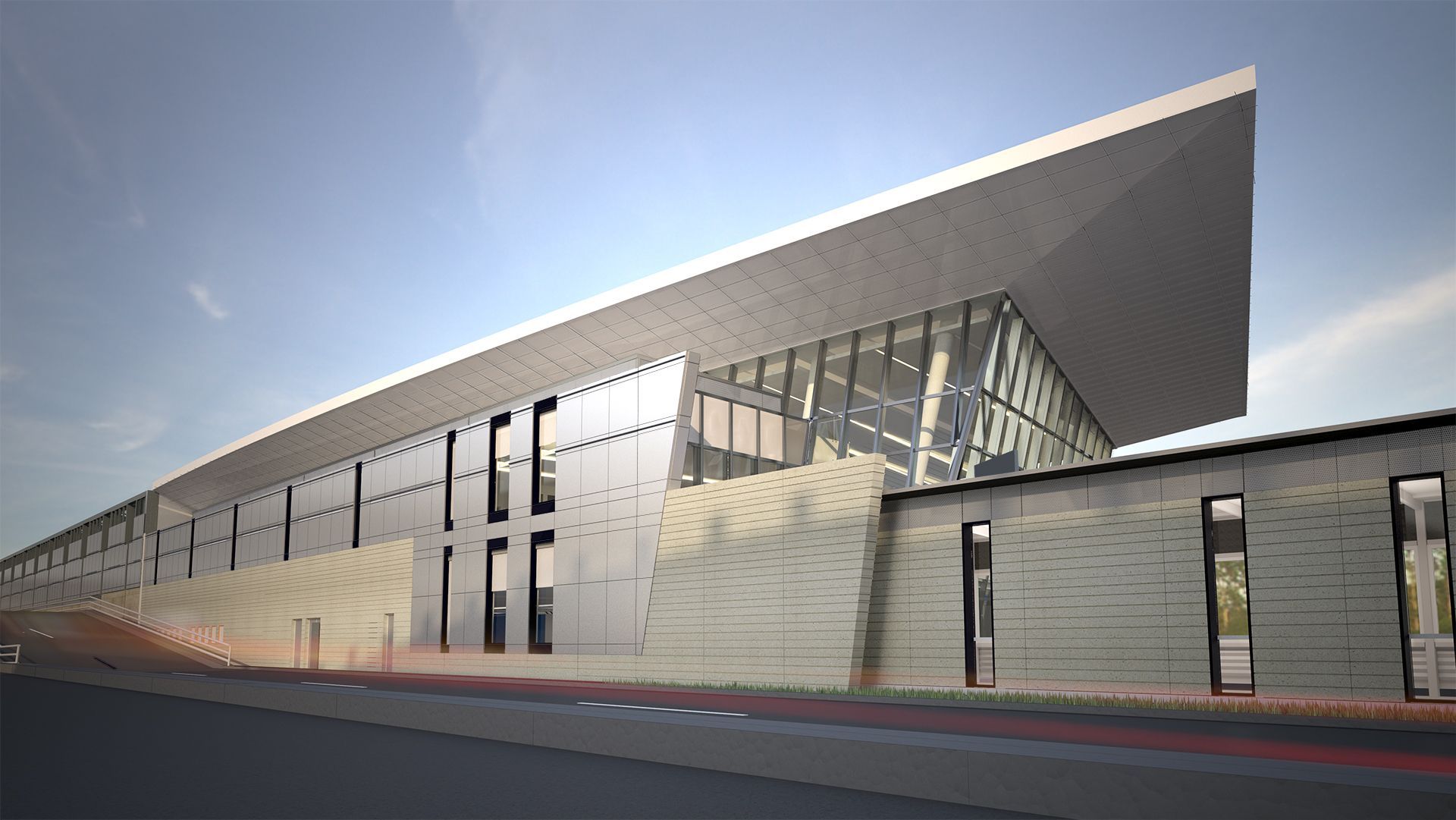
  • Community - With a focus on collaboration and responsiveness, the firm has worked on airports, libraries, interpretive centers, fire stations, courthouses, parks, and other spaces, including Fire Station 76, Yellowstone National Park Youth Campus, and the Portland International Airport Terminal Balancing and Concourse E Extension.
Hennebery Eddy and Ideate Software

Hennebery Eddy’s specialized Historic Resources Group provides all-inclusive services to address the unique needs of historic buildings. Historic projects include The Spalding Building rehabilitation in downtown Portland, Wilsonville Park Barn rehabilitation, and renovation of Portland’s Hotel deLuxe.


Photo: OSU Strand Agriculture Hall. Hennebery Eddy helped Oregon State University transform the building into a modern learning environment while retaining the character of the historic building. © Andrew Pogue
Autodesk and Ideate Software Tools Support Unique Projects


As you review the Hennebery Eddy portfolio, you’ll notice that the company isn’t tied to a specific style. Instead, it responds to each client’s needs, respecting the underlying organization of each site and pushing beyond the programmatic requirements to create inspirational, environmentally conscious, and meaningful places in the community – an approach captured by the firm’s design philosophy. Throughout the design process, Hennebery Eddy relies on tools including Autodesk Revit building information modeling software and Ideate Explorer, which it uses to keep its Revit files clean and organized.

Ideate Explorer is a powerful Revit model management tool that reduces time spent on tedious tasks from hours to seconds. With it, users easily search for, filter, quantify, index, and select all elements – even ‘missing’ and hard-to-find ones. It makes it easy to assess Revit file health, execute necessary changes quickly, and keep BIM projects on the right path.


“Ideate Explorer has improved our ability to collaborate in Revit as a large team, helping us achieve a cleaner model, saving us time searching for elements, and improving our syncing times,” said Scott Moreland, AIA, Associate at Hennebery Eddy.

Henneberry Eddy and Ideate Software

Hennebery Eddy uses Ideate Explorer to streamline many activities, including to troubleshoot issues in the Revit models, clean up redundant elements such as line types and fonts that commonly occur when multiple people work on documentation simultaneously, and purge items such as DWG files that have been imported but not linked into a specific view. “It’s a great tool to have,” said Mr. Moreland.


Photo: PDX Terminal. Hennebery Eddy uses Ideate Explorer to clean and organize its large Revit files, including the one for its PDX Terminal Balancing and Concourse  extension  project. Courtesy Hennebery Eddy Architects 

Outstanding Designs Attract the Attention of Numerous Organizations


Every year, Hennebery Eddy proudly accepts several awards. Here are just a few they received in 2016:


  • DeMuro Award, presented by Restore Oregon for Oregon State University Strand Agriculture Hall
  • Merit Award, presented by AIA Montano for Montana State University College of Business
  • Top Projects Award, presented by DJC Oregon for PDX Terminal Carpet Replacement
  • Covallis Historic Preservation Award, presented by City of Corvallis Historic Resources Commission for Oregon State University Strand Agriculture Hall
  • Top Projects Award - Public Service Category, presented by DJC Oregon for Fire Station 76
Hennebery Eddy and Ideate Software

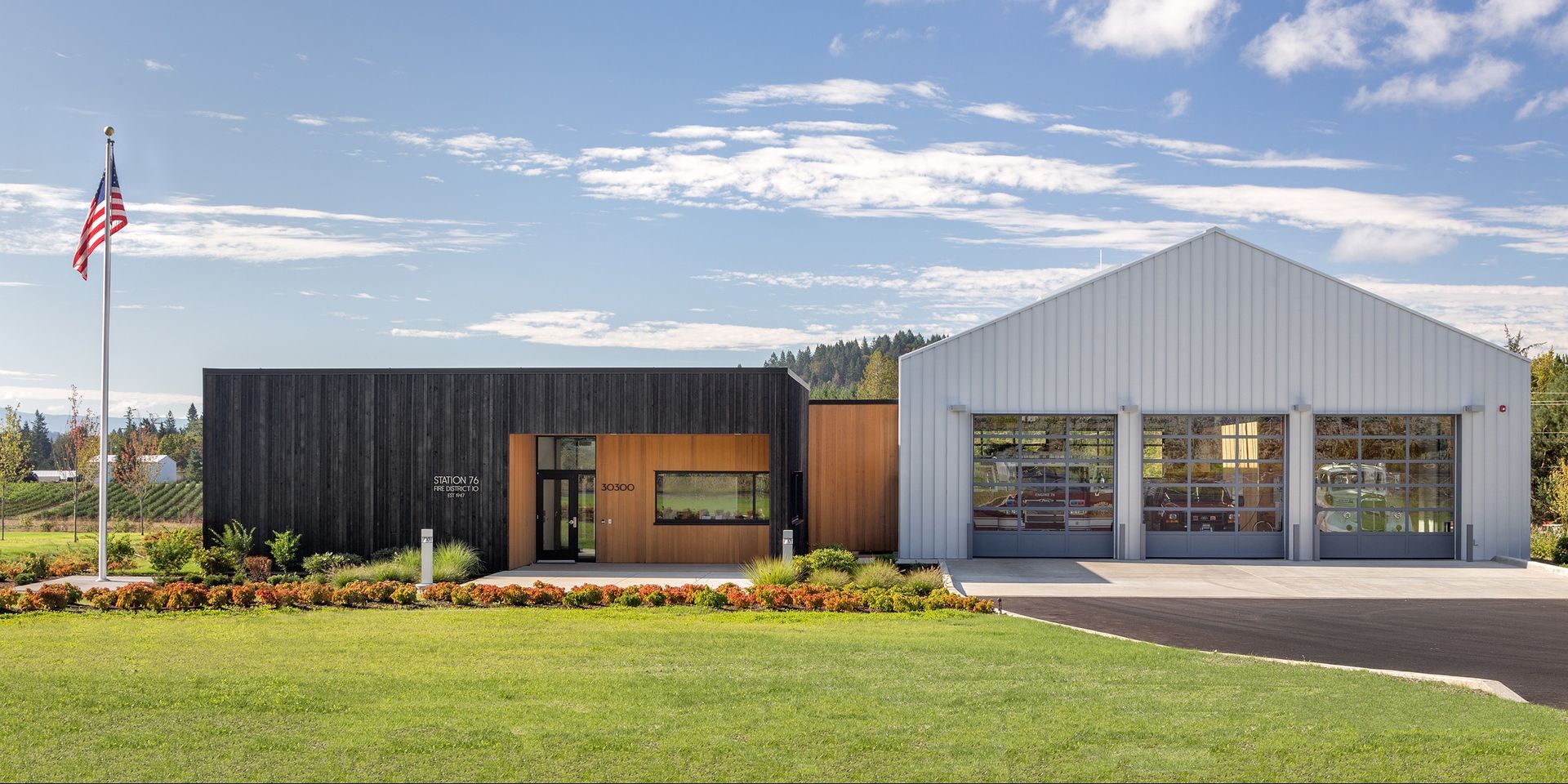
Photo: Fire Station 76.


Taking inspiration from local agricultural buildings, Hennebery Eddy’s design layered the subtle rural character of the area over the distinct functions of living and working.


© Josh Partee

Taking Steps to Stay at the Forefront


Hennebery Eddy is committed to being a leader in its field. All its professional staff members:

  • Are LEED Professionals trained in creating cost-effective, energy-efficient, durable, long-lasting, and environmentally sustainable design solutions.
  • Use the best software tools on the market today, including Ideate Explorer.
  • Help develop software tools for tomorrow by participating in Ideate Software product beta testing.


About Ideate Software


Ideate Software allows Revit users to have unprecedented control over their data and solve persistent problems in Architecture, Engineering, Construction, and Owner (AECO) workflows. Ideate Software solutions enable Revit users to save time, increase accuracy, improve project deliverables, and elevate design.


DOWNLOAD CASE STUDY
  • What is a Named User license?

    A Named User license is assigned to one specific person rather than shared across a network. For a step-by-step walkthrough, see the Graitec Licensing Help Center - Named User.

  • Are Ideate Suites replacing Ideate Software Bundles?

    Yes. Going forward, Ideate Suites replace Ideate Software Bundles.

  • What's the difference between the Ideate Software Bundle and the Ideate Suite?

    Both include the same five tools: IdeateApps, Ideate BIMLink, Ideate Explorer, Ideate Sticky and Ideate StyleManager. 


    • Bundle: Each tool is licensed separately, so different people can work in different tools at once. For example, with one Bundle, five people could each use a different tool at the same time.
    • Suite: One license covers all five tools for one person at a time. That person can move freely between every tool. While they're using the Suite, it isn't available to anyone else on that license until they finish.

    A Named User Suite is assigned to one specific person. A single Network Cloud Floating Suite can be shared across your team, one person at a time.


    Bundle to Suite Infographic


  • Will my team need more licenses?

    If several people on your team use different Ideate tools at the same time, you may need more than one Suite license. Contact us and we'll review your team's usage and help you choose the right setup.

  • Can I still buy an Ideate Software Bundle?

    No. Bundles are no longer available for purchase. New purchases are offered as follows:


    • Ideate Suite: Named User or Network Cloud Floating 
    • Enterprise Suite: Network Cloud Floating
    • Active Host: Network Cloud Floating
    • Automation: Network Cloud Floating
    • Individual products: Named User or Network Cloud Floating (IdeateApps, Ideate BIMLink, Ideate Explorer, Ideate Sticky, and Ideate StyleManager)
  • Can I still buy IdeateApps, BIMLink, Explorer, Sticky, or StyleManager individually?

    Yes. Individual products are available as Named User or Cloud Floating licenses until the new product lineup launches with the next major release, expected mid-2027.

  • Will floating (network) licenses still be available?

    Yes. FlexLM remains available for organizations with security requirements, such as environments without internet access. FlexLM is not available through the online store, so please contact your account manager to purchase.

  • My organization has strict security requirements or no internet access. Can I still get a FlexLM license?

    Yes. FlexLM remains available for organizations with security requirements, such as environments without internet access. FlexLM is not available through the online store, so please contact your account manager to purchase.

  • I'm an existing customer. What happens to my current license/s?

    Your existing Ideate Software subscription is moving to our new licensing system at no cost. Your license quantities and expiration dates stay the same.


    • Standalone licenses become Named User licenses. Set up your Named Users in the Graitec Advantage Portal.
    • Cloud Floating (network) licenses become Network Cloud Floating Suite licenses. Deploy the latest release as you have in the past, using the new license code in your migration email.
    • Each Ideate Software Bundle becomes an Ideate Suite.

    To keep using Ideate, update to the latest release and activate your new license by March 31, 2027. Older Ideate licenses will stop working in Q2 2027.


    Using Ideate with Revit 2022 or earlier? Contact ideatesupport@graitec.com to review your options. For account questions, contact sales@ideatesoftware.com.


  • I have a Bundle today. What will I receive when I move to the new licensing?

    Conversions are one for one. Each Ideate Software Bundle becomes one Ideate Suite, and each network Bundle becomes one Network Cloud Floating Suite. Your license quantities and expiration dates stay the same.

  • Where do I manage my licenses?

    In the Graitec Advantage Portal. Based on customer requests, starting with the latest Ideate release, license management and license usage information are handled in Graitec Advantage, outside of Revit. We recommend bookmarking the portal.


    • Named User licenses: Assign licenses to people on your team in Graitec Advantage.
    • Cloud Floating Suite licenses: Deploy the latest release with your new license code as you have in the past, then manage licenses in Graitec Advantage.

    Watch the Graitec Advantage walkthrough


  • Can I transfer a Named User license to another person?

    Yes. There's no limit on the total number of transfers, but each license can be transferred up to two times within a 30-day period.

  • How are licenses issued?

    Each product on your order is issued as its own license once your order is processed. To try a product before buying, contact us to request an evaluation license.

Still have a question?

Contact

Explore recent posts

Smarter Revit Workflows: Lessons from the Field with Grimshaw and Ideate Software
October 21, 2026
TRAINING - WEBINAR | Watch the recording of this session featuring Charleen Chae, BIM Lead for North America, and Tiago Santos, BIM Coordinator in London at Grimshaw Architects, alongside Ninad Garware, Technical Evangelist at Ideate Software, GRAITEC Group.
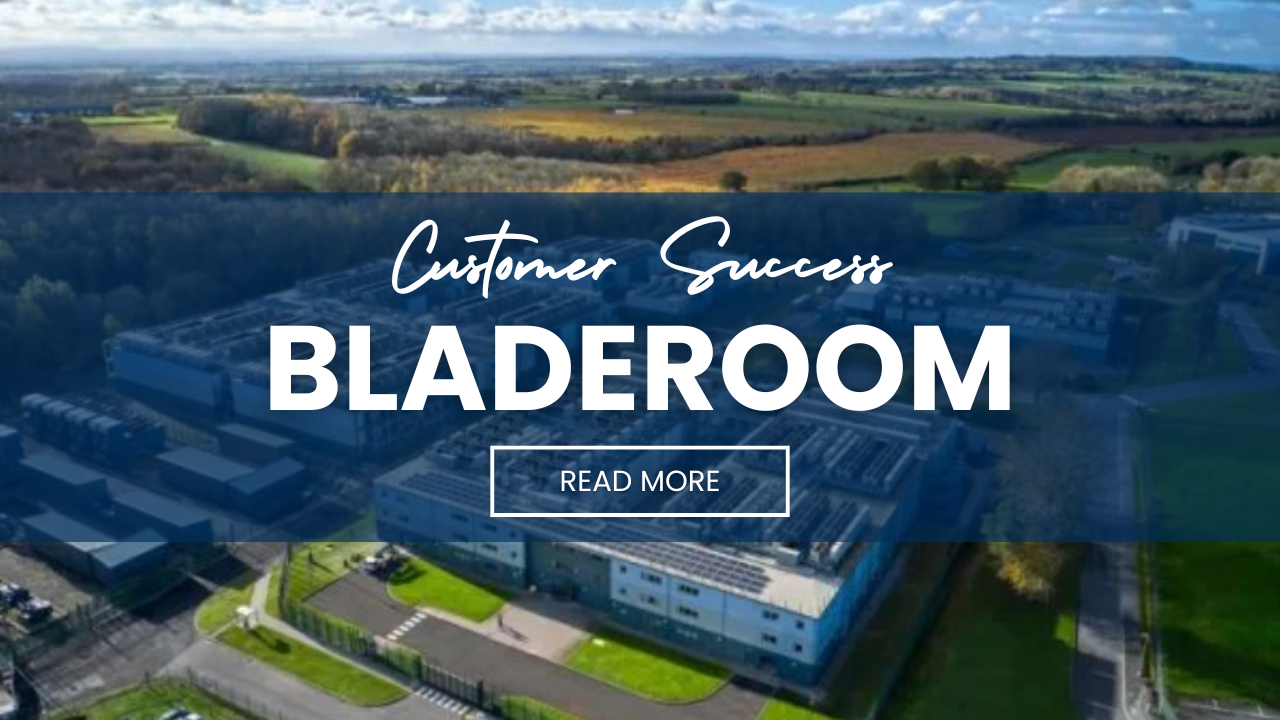
BladeRoom Cuts Revit Workflow Time by 70% with Ideate Software and Graitec Group
August 27, 2026
CLIENT TESTIMONIAL - ARTICLE | BladeRoom Group, a leader in modular data center construction, was struggling to manage the complexity of large-scale, data-heavy Revit projects without growing their team.
Smarter Control of Complex Revit Engineering Models | Webinar, April 2026
August 25, 2026
TRAINING - VIDEO | In this recorded webinar, see how MEP and structural engineers, BIM managers, and Revit power users can take control of complex models without adding more manual work to their day, using Ideate BIMLink, Ideate Explorer, IdeateApps, Ideate StyleManager, and Ideate Sticky.
What's New in Ideate Software, June 2026 Webinar
August 6, 2026
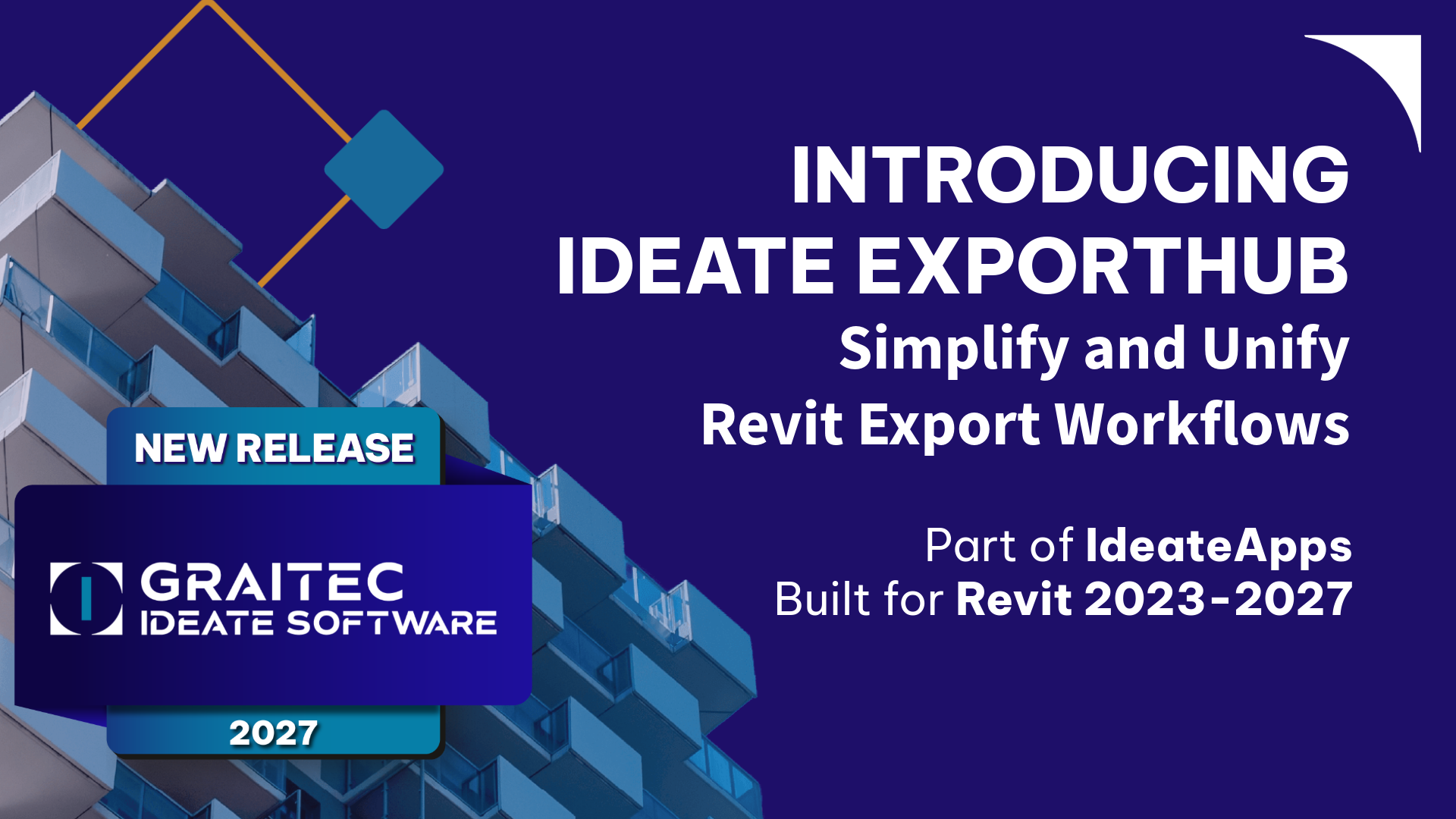
VIDEO - TRAINING | Watch this webinar to see how Ideate ExportHub, the newest addition to the IdeateApps suite, simplifies Revit export workflows. Learn how to centralize exports, automate batch and scheduled exports, apply intelligent naming rules, and create dynamic sheet and view sets for client deliverables.
Show More