What are all those Colors in Ideate StyleManager?
Every day, our Ideate Software Support team fields all types of questions from AECO professionals all around the world.
We always strive to make our user interface more intuitive and easier to understand for all our Revit solutions. A few years ago, we did a major user interface update to Ideate BIMLink. Please review this blog article for another post about the Ideate BIMLink user interface.
Recently, an Ideate Software customer asked us about the seemingly random colors that appear on Revit definitions within the Ideate StyleManager dialog. What do they mean? Definitions, such as Fill Patterns, assigned the same color are considered duplicates. You can more easily understand the color groupings if you select “Isolate Duplicates” as an option before you analyze.
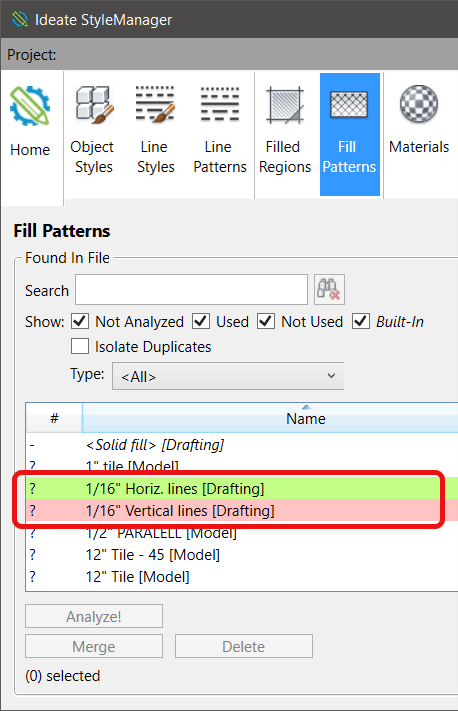
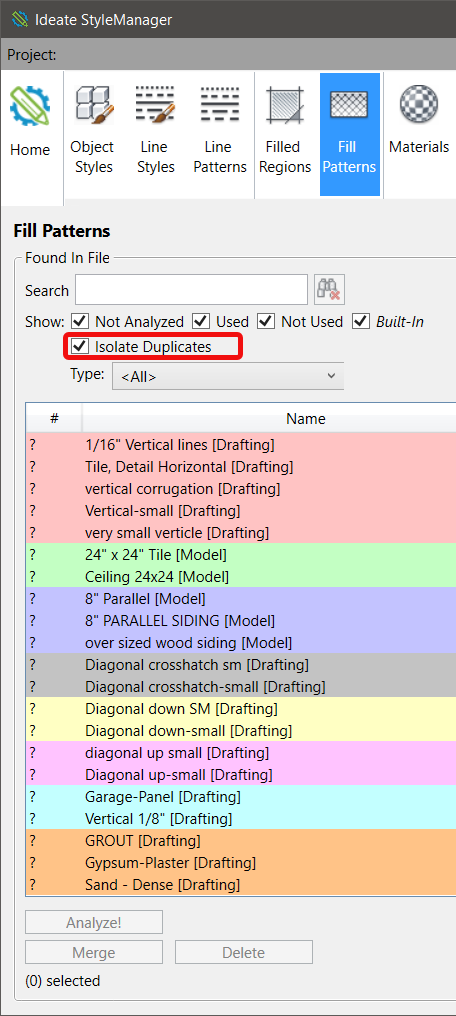
After a quick review of the same color combinations and naming, you may realize that a merge is required. As an example, it’s very easy to see that “diagonal up small” and “Diagonal up-small” are the SAME definitions with just different spelling and capitalization.
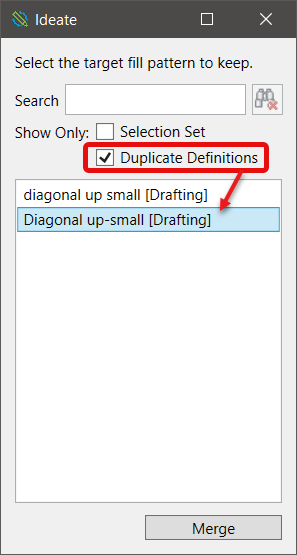
If you have “Isolate Duplicates” still selected after completing the Merge operation, don’t be surprised that you can’t see your definition listed in the Ideate StyleManager dialog anymore. Since it’s not a duplicate definition anymore, you will have to uncheck that option to see the definition. For instance, you might want to now rename “Diagonal up-small” to something else.
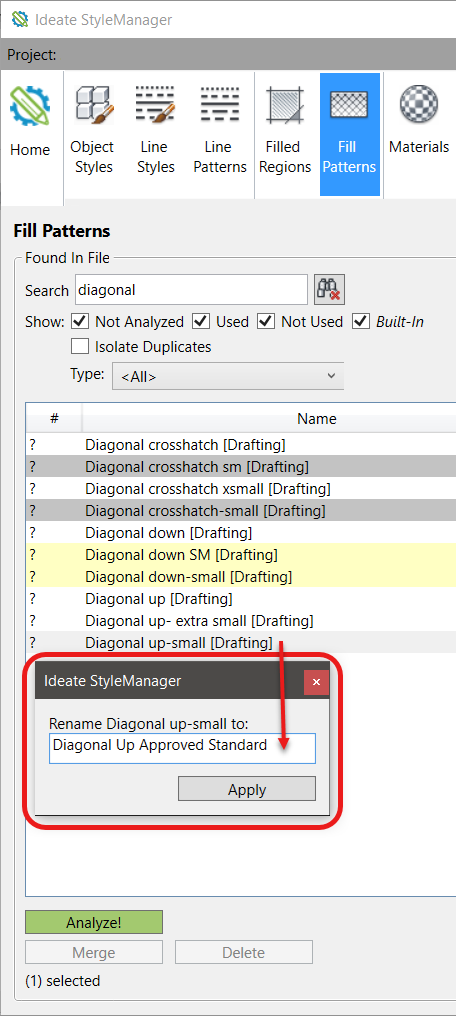
The colors within Ideate StyleManager are a quick way to review duplicate definitions and start to clean up your Revit model to match your company standards.
If you have any comments on how we can improve our user interfaces, please let us know! Just send an email to support@ideatesoftware.com.
Explore recent posts